Downloading your Creand statement
From Creand online banking, on your computer, you can get your account transactions in a couple of minutes. Then you upload them to Estalvia and you are done.
Updated 13 October 2026
Choose the account
- Sign in to Creand online banking.
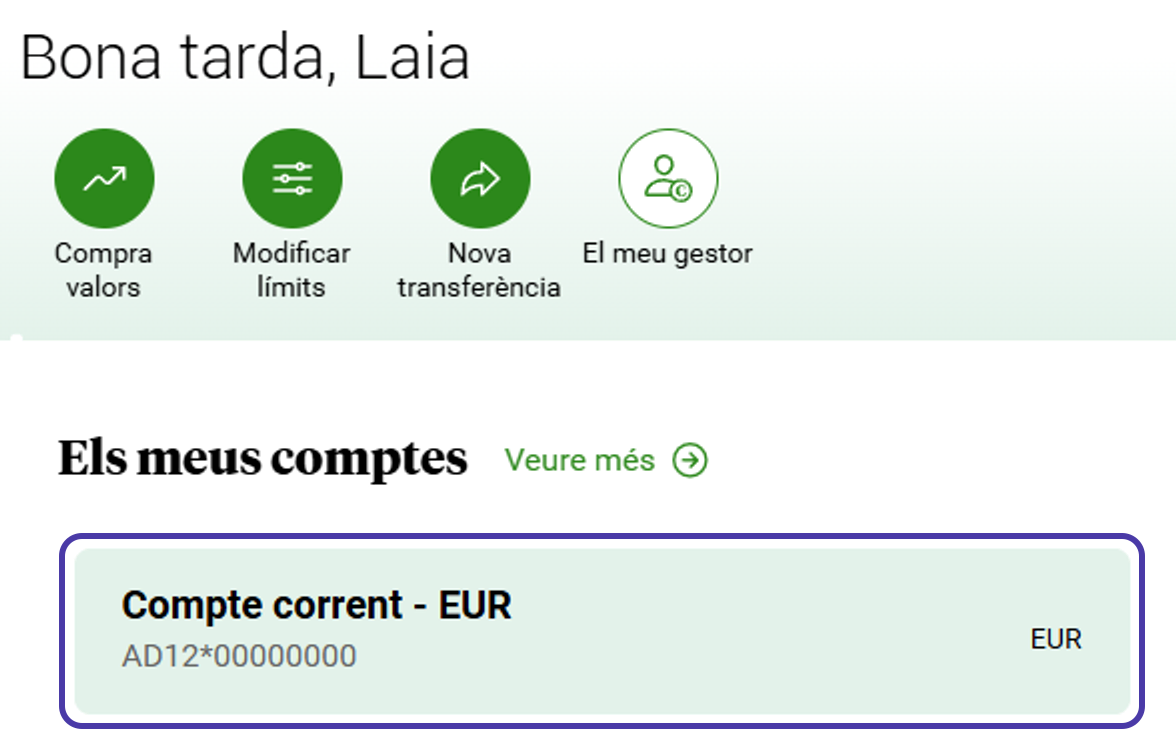
- On the home page, under Els meus comptes (My accounts), click the account you want the statement for (the whole box is clickable).
Choose the dates
Below the account, next to Moviments (Transactions), click Filtrar (Filter).

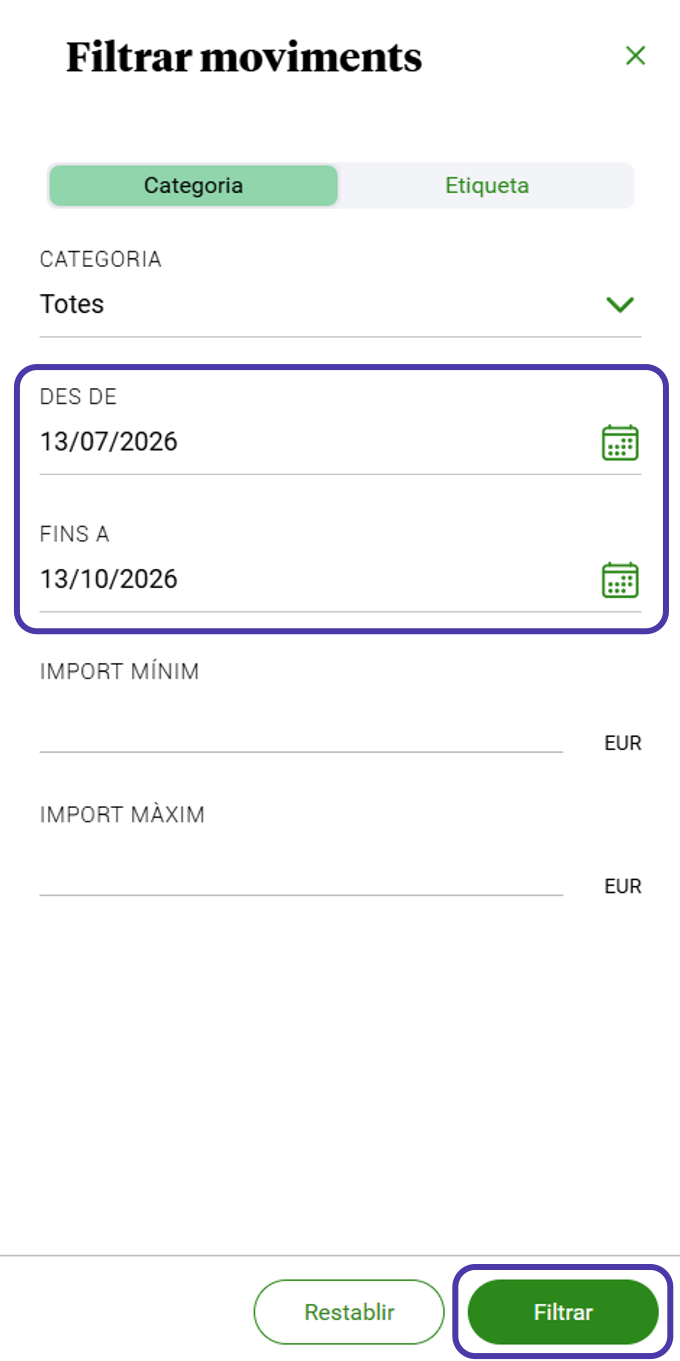
Filtrar moviments opens. In Des de (From) and Fins a (To), enter the first and last day you want, and click Filtrar.
Download the file
With the transactions filtered, click Exportar (Export).

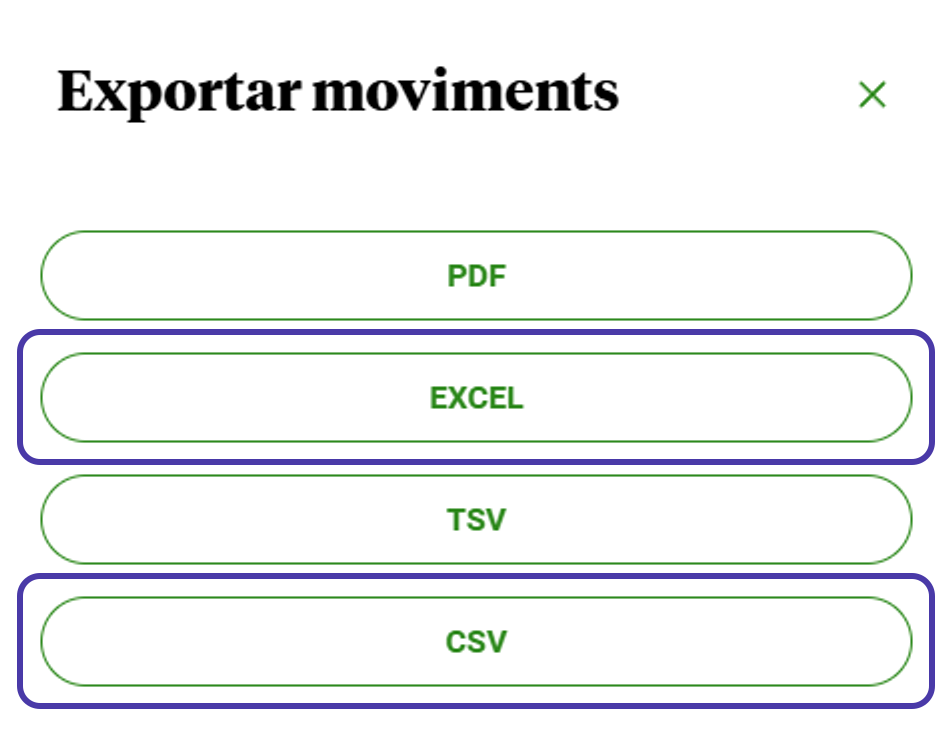
In Exportar moviments, choose EXCEL or CSV. The file is saved to your downloads folder.
Upload it to Estalvia
- In Estalvia, open Import and choose the account.
- Drop the file (or click to choose it), check the transactions and click Import.
If it is your first time, Getting started with Estalvia takes you through the rest.